

 by Printer Brands
 Label Tape
 Ink
Ink Toner
Toner Label Roll




 Ribbon















 Label Printers
 Office Supplies
 Other
Other
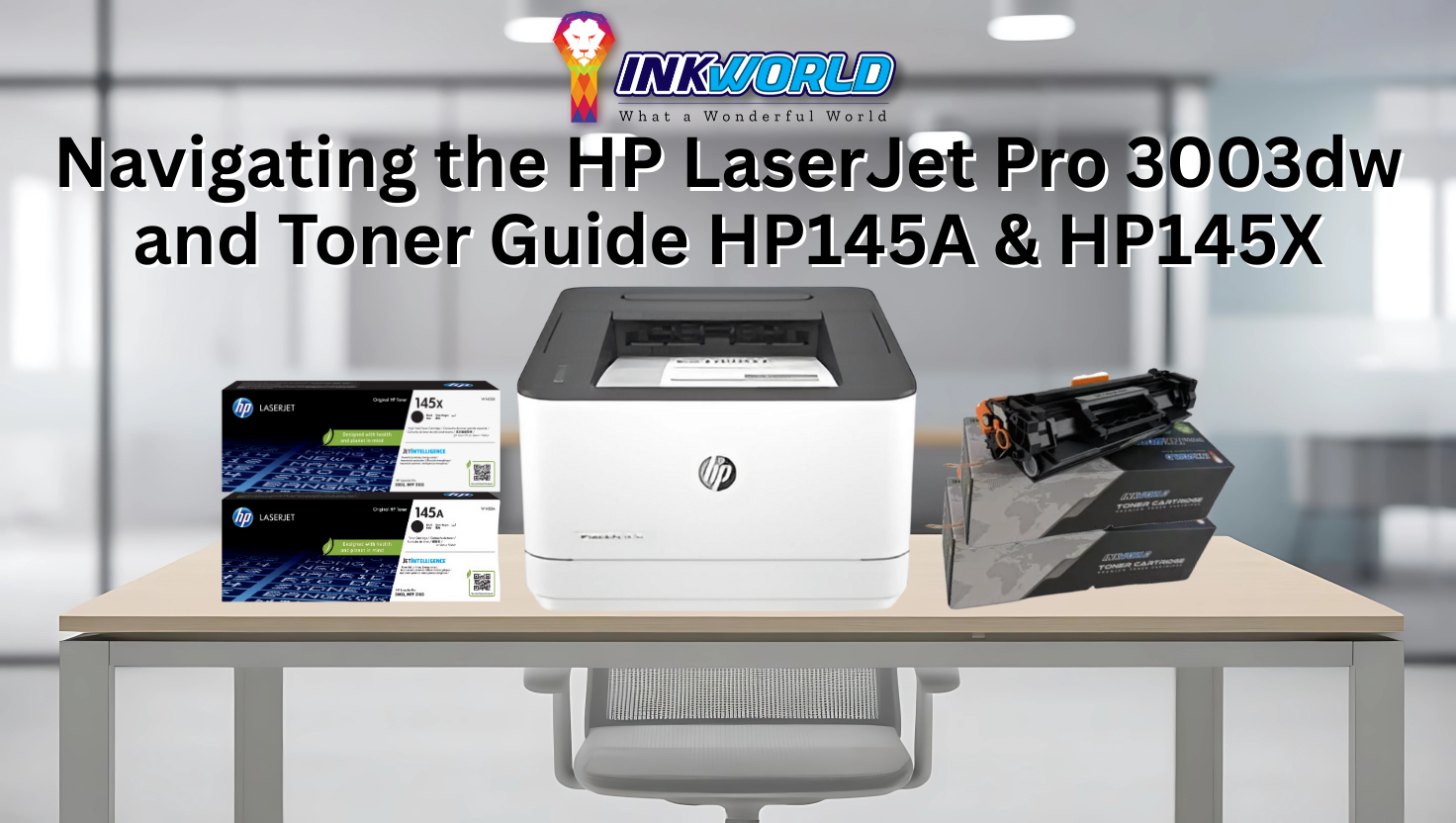
Navigating the HP LaserJet Pro 3003dw and Toner Guide HP145A & HP145X
Office workers print about 10,000 pages yearly. Reliable printer supplies are vital for productivity. The right printer and toner combo can boost quality and cut costs for Singapore businesses.
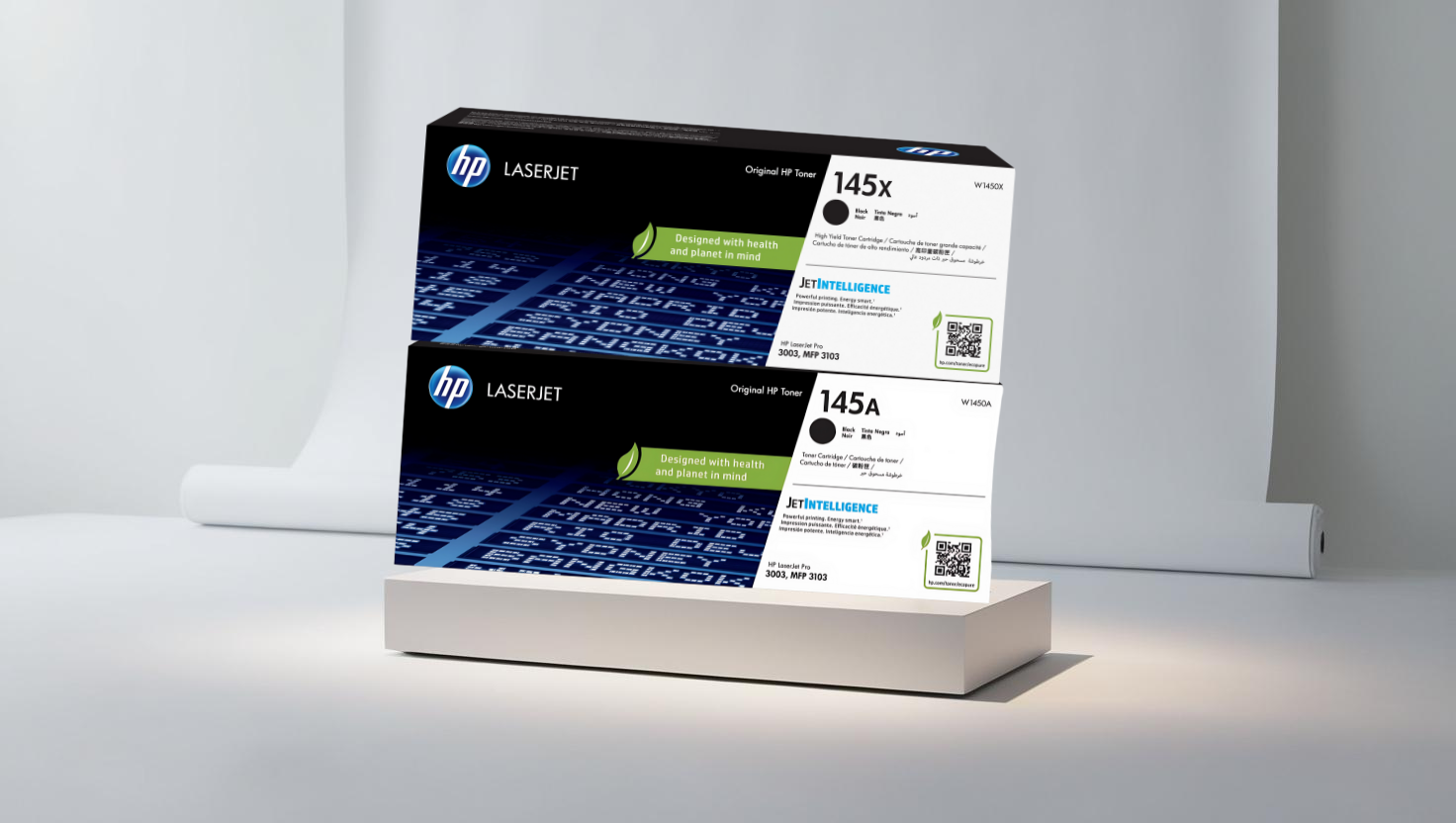
The HP LaserJet Pro 3003dw is a modern, efficient HP printer. It works with two toner options: standard HP145A and high-capacity HP145X. The HP145X cartridge yields about 3,800 pages per ISO/IEC 19752 tests.
Knowing the differences between HP toner cartridges and compatible toner cartridge options is key for budget-savvy Singaporeans. Your choice depends on print volume, quality needs, and long-term plans.
This guide covers tech specs, performance, and tips for maximising your printer investment. It’s helpful for home offices and small businesses managing multiple devices.
Save Up to 43% on HP 145A! |
|---|
View Price Now |
Key Takeaways
- The HP LaserJet Pro 3003dw works with both standard (HP145A) and high-yield (HP145X) toner cartridges
- High-capacity HP145X cartridges deliver approximately 3,800 pages per ISO/IEC 19752 standards.
- Understanding toner options helps optimise printing costs for Singaporean businesses.
- Both original and compatible cartridge options offer different benefits for various usage scenarios.
- Proper printer and supply selection significantly impacts long-term operational efficiency.
- Singapore pricing varies between original HP cartridges and third-party compatible alternatives.
Overview of the HP LaserJet Pro 3003dw Printer
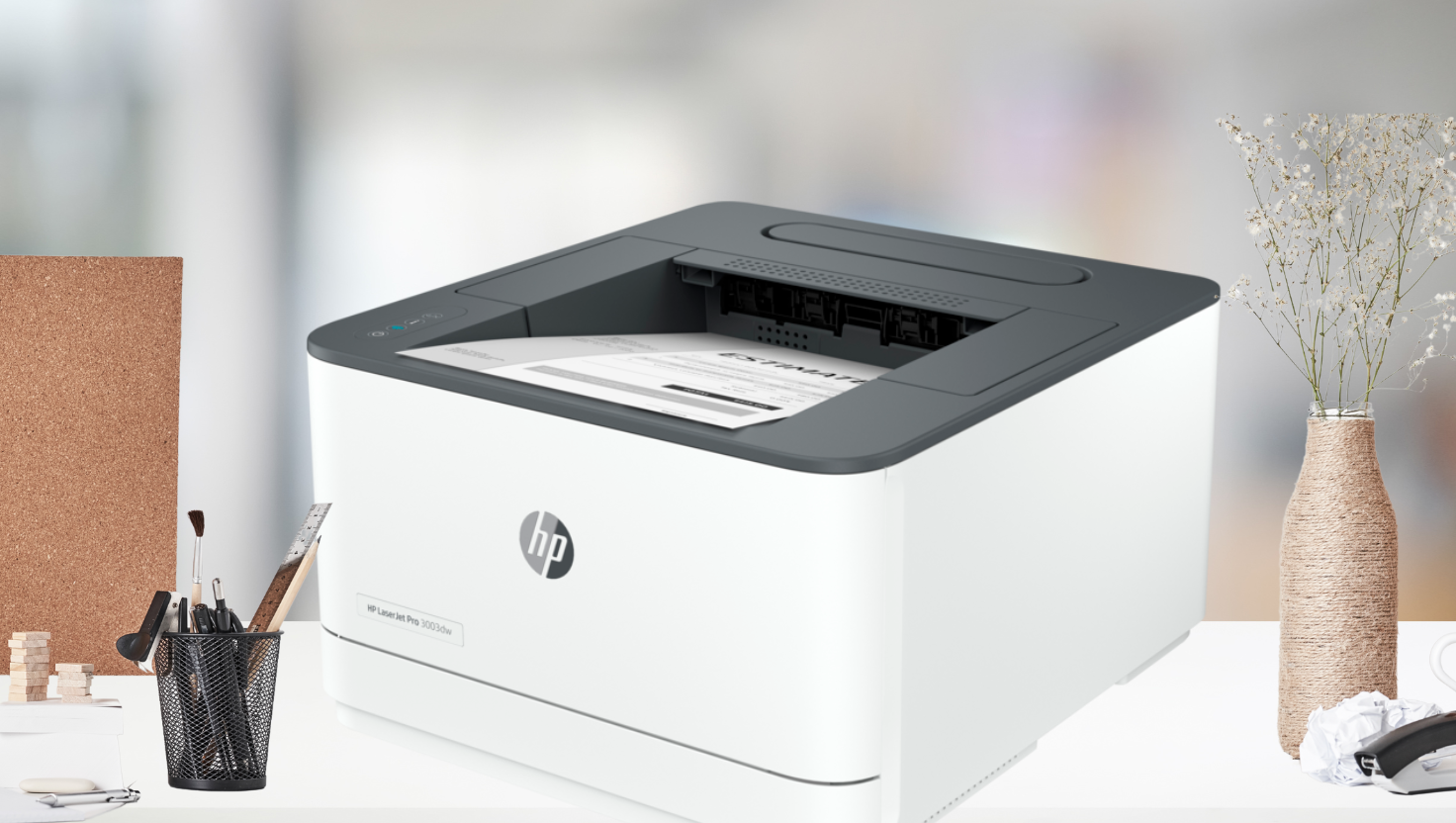
The HP LaserJet Pro 3003dw is a versatile printer for home and office use. It offers exceptional print quality and practical features to meet various printing needs, making it stand out in HP’s laser printer range.
Key Features and Capabilities
The LaserJet Pro 3003dw produces sharp black text and vibrant graphics. It’s perfect for business documents, marketing materials, and everyday printing tasks.
As a multifunction printer, it goes beyond basic printing. It offers high-speed performance without sacrificing quality. The printer also has wireless connectivity for flexible printing from different devices.
This printer uses 21% less power than similar models. This feature appeals to eco-conscious users, as it helps reduce electricity bills and shrinks one’s carbon footprint.
Design and Build Quality
HP has designed the LaserJet Pro 3003dw to be compact and durable. It’s built to last, even with regular use. The printer has an easy-to-use control panel and accessible paper trays.
Its sleek, professional look fits well in various settings. You can place it in home offices or professional workspaces without it looking out of place.
Target Users: Home and Office Applications
The HP LaserJet Pro 3003dw suits a wide range of target users. Home-based professionals can produce high-quality documents without much space, and it’s also easy to set up.
Small offices benefit from its reliable daily performance and collaborative features. The printer offers professional results at reasonable operating costs, bridging the gap between consumer and enterprise-level equipment.
Detailed Specifications of the HP LaserJet Pro 3003dw
The HP LaserJet Pro 3003dw is a powerful multifunction laser printer with impressive performance and versatile features. It is suitable for various environments, from homes to small offices.
Technical Specifications Table
The HP LaserJet Pro 3003dw offers a wide range of features. These cater to both home and small office users. Here’s a detailed breakdown of its technical specifications:
| Specification Category | Details | Performance Metrics |
|---|---|---|
| Printing Technology | Laser (Monochrome) | Professional-quality text and graphics |
| Print Speed | Up to 40 pages per minute (A4) | Fast output for high-volume environments |
| Print Resolution | Up to 1200 x 1200 dpi | Sharp text and clear graphics |
| Processor | 800 MHz | Efficient document processing |
| Memory | 256 MB | Handles complex print jobs |
Print, Copy, Scan, and Fax Capabilities
The HP LaserJet Pro 3003dw shines as a multifunctional device. It prints 40 pages per minute with high-quality 1200 x 1200 dpi resolution. This ensures quick and professional document production.
The printer offers versatile copier settings. These include up to 99 copies and 25% to 400% reduce/enlarge options. The copy speed matches the print speed at 40 ppm.
Scanning uses advanced technology, including a flatbed scanner and an automatic document feeder. The scan resolution reaches 1200 x 1200 dpi (optical), which allows for detailed digital reproductions of documents and images.
“The HP LaserJet Pro 3003dw’s scanning capabilities provide exceptional detail capture, making it ideal for archiving important documents while maintaining readability and image quality.”
The fax function operates at 33.6 kbps. It supports features like fax forwarding and remote retrieval. A junk fax barrier ensures efficient communication management.
Connectivity and Mobile Printing Options
The HP LaserJet Pro 3003dw offers flexible connectivity options, including USB 2.0, Fast Ethernet, and wireless networking. Wi-Fi Direct allows for router-less connections.
Mobile printing supports various platforms, including the HP Smart App, Apple AirPrint, and Google Cloud Print. Users can print from almost anywhere, in the office or remotely.
Paper Handling and Duty Cycle
The printer features robust paper handling capabilities. It includes a 250-sheet input tray and a 50-sheet multipurpose tray. An optional 550-sheet tray can increase the maximum capacity to 850 sheets.
The printer supports various media types and sizes, from A4 to postcards and custom sizes. It handles paper from 76 x 127 mm to 216 x 356 mm.
The monthly duty cycle is up to 80,000 pages. The recommended monthly volume is 750 to 4,000 pages. This makes it suitable for small to medium-sized workgroups with moderate to heavy printing needs.
Navigating the HP LaserJet Pro 3003dw and Toner Cartridge HP145A and HP145X
The HP LaserJet Pro 3003dw uses two toner cartridges: HP145A and HP145X. Your choice affects print quality, costs, and printer performance.
These cartridges impact long-term operational expenses. Selecting the right one is crucial for optimal printer functionality.
Understanding Toner Compatibility
The HP LaserJet Pro 3003dw works only with HP145A and HP145X cartridges. Using incompatible ones may lead to poor prints or printer damage.
Always look for these specific model numbers when buying replacements. The printer’s control panel alerts you when cartridges are low.
Differences Between HP145A (Standard) and HP145X (High Capacity)
The main difference lies in their capacity and value proposition. The HP145A is the standard capacity cartridge for new printers.
The HP145X offers high-capacity printing for heavier print demands. Both cartridges fit in the same printer slot.
However, the HP145X contains more toner powder for higher page yields. This makes it suitable for frequent printing needs.
| Feature | HP145A (Standard) | HP145X (High Capacity) | Compatible HP145A | Compatible HP145X |
|---|---|---|---|---|
| Page Yield | ~1,800 pages | ~3,800 pages | ~1,800 pages | ~3,800 pages |
| Average Price (SGD) | $89 | $139 | $49 | $79 |
| Cost Per Page (SGD) | $0.049 | $0.037 | $0.027 | $0.021 |
| Warranty Coverage | Full printer warranty | Full printer warranty | Limited warranty | Limited warranty |
Page Yield and Performance Expectations
Page yield shows how many pages you can print before needing a replacement. The HP145X yields about 3,800 pages, while the HP145A delivers 1,800 pages.
These figures are based on 5% page coverage, the industry standard. Your results may vary depending on what you print.
“The HP145X cartridge delivers more than double the page yield of standard cartridges, making it the economical choice for offices with moderate to high print volumes.”
Dynamic Security Features
The HP LaserJet Pro 3003dw uses dynamic security to protect the printer. It verifies cartridge authenticity using an electronic chip in original HP cartridges.
Compatible cartridges may trigger messages about “non-HP” or “used” cartridges. These usually still work, but you might need to acknowledge the messages.
HP firmware updates may affect non-original cartridges. Good third-party suppliers regularly update their chips to maintain compatibility.
Advantages of the HP LaserJet Pro 3003dw for Different Users
The HP LaserJet Pro 3003dw caters to various user needs. It offers tailored benefits for home, small office, and business use. Its balanced features make it an attractive option for efficient printing solutions.
Benefits for Home Users
The HP LaserJet Pro 3003dw’s compact design is suitable for home offices. Its touchscreen control panel is easy to use, even for those with little tech know-how.
This all-in-one device combines print, copy, scan, and fax functions. It eliminates the need for multiple machines, saving space and money.
- Quick setup process with minimal configuration required
- Quiet operation suitable for home environments
- Convenient mobile printing from smartphones and tablets
Advantages for Small Office Environments
Small businesses benefit from the printer’s robust network capabilities. It allows multiple team members to connect at once. The printer ensures consistent quality output, even during busy periods.
The printer offers cost-effective printing solutions for small offices. It supports both standard HP145A and high-capacity HP145X toner cartridges. This allows businesses to choose the best option for their needs.
Productivity Features for Business Applications
Business users will appreciate the printer’s workflow-streamlining features. Automatic duplex printing saves paper and time, and the fast first-page-out speed reduces waiting time for urgent documents.
The mobile printing capability allows printing from smartphones and tablets. This feature supports flexible work environments and remote teams.
Energy Efficiency and Environmental Considerations
The HP LaserJet Pro 3003dw uses 21% less energy than previous models. This leads to lower electricity bills and a smaller carbon footprint.
The printer meets strict eco-label emission standards. HP’s cartridge recycling programme makes disposing of used toner cartridges easy.
These eco-friendly features make the printer ideal for environmentally conscious users. It offers top performance while reducing ecological impact.
Pricing Analysis: HP LaserJet Pro 3003dw in Singapore
The HP LaserJet Pro 3003dw’s pricing in Singapore requires careful consideration. Both upfront and long-term costs play a crucial role. This analysis helps users make smart choices based on their needs and budget.
Current Market Price
The HP LaserJet Pro 3003dw in Singapore costs between S$499 and S$549. Sales events can lower prices by 10-15%. Some shops offer bundle deals with starter toner cartridges.
Value Proposition
The HP LaserJet Pro 3003dw offers great value compared to similar printers. Its speed, reliability, and advanced features set it apart. The duplex printing can halve paper costs, supporting cost-effective printing.
Its compact design suits space-conscious Singaporean homes and small offices, and its wireless connectivity adds to its appeal in tight spaces.
Warranty and Support Options in Singapore
HP provides a one-year limited hardware warranty for the LaserJet Pro 3003dw. For a fee, you can extend this to three years. Local support is available at HP’s Singapore service centres.
The warranty covers manufacturing defects but not consumables like toner cartridges. HP offers 24/7 technical support in multiple languages for Singaporean customers.
Total Cost of Ownership Calculation
The true cost of the HP LaserJet Pro 3003dw includes ongoing expenses. Let’s break them down:
| Cost Component | Original HP Cartridges | Compatible Cartridges | Annual Savings |
|---|---|---|---|
| Toner (HP145A Standard) | S$159 | S$79 | S$160 (2 replacements) |
| Toner (HP145X High Yield) | S$259 | S$119 | S$280 (2 replacements) |
| Power Consumption | Approximately S$25 annually | – | |
| Maintenance | S$50-100 annually | – |
Small offices printing 2,000 pages monthly can save S$560 yearly with compatible high-yield cartridges, and home users printing 500 pages monthly can save about S$160 yearly.
Compatible cartridges offer cost-effective printing while maintaining reasonable toner lifespan. They’re a smart choice for budget-conscious users.
“The initial price of a printer represents only 20% of its lifetime cost. The remaining 80% comes from consumables and maintenance.”
Comparative Analysis: HP LaserJet Pro 3003dw vs. Alternatives
The HP LaserJet Pro 3003dw is a top contender in the Singapore printer market. It offers impressive features that rival other multifunction printers. Let’s compare it to similar models to help you make an informed choice.
Similar Printers in the Market
Choosing the right laser printer involves comparing specs, features, and overall costs. Here’s how the HP LaserJet Pro 3003dw measures up against its main rivals:
| Model | Print Speed (ppm) | Resolution (dpi) | Connectivity | Consumables |
|---|---|---|---|---|
| HP LaserJet Pro 3003dw | 35 | 1200 x 1200 | USB, Ethernet, Wi-Fi, Mobile | HP145A/HP145X Toner |
| Brother MFC-L2750DW | 34 | 2400 x 600 | USB, Ethernet, Wi-Fi, Mobile | TN-2460 Toner, DR-2455 Brother drum cartridge |
| Canon imageCLASS MF445dw | 38 | 1200 x 1200 | USB, Ethernet, Wi-Fi, Mobile | Canon 057/057H Toner |
| Epson WorkForce Pro WF-C5790 | 24 | 4800 x 1200 | USB, Ethernet, Wi-Fi, NFC | Ink Cartridges (not toner) |
Competitive Advantages of the HP LaserJet Pro 3003dw
The HP LaserJet Pro 3003dw shines with its wide-ranging wireless connectivity options. It seamlessly connects with mobile devices through the HP Smart App. Its robust network capabilities make it perfect for shared office spaces.
This printer boasts impressive energy efficiency, using up to 18% less power than its rivals. This leads to lower running costs over time. Plus, it prints a speedy 35 pages per minute.
Areas Where Alternatives Perform Better
Some competitors outdo the HP LaserJet Pro 3003dw in certain areas. The Canon imageclass Mf445dw prints slightly faster at 38 ppm, and the Brother MFC-L2750DW often has a lower initial price in Singapore.
The Brother model features a separate drum cartridge, potentially cutting long-term maintenance costs. The Epson WorkForce Pro offers superior colour printing for offices needing vibrant documents.
Best Use Cases for Each Alternative
The HP LaserJet Pro 3003dw suits small to medium offices with moderate to high print volumes. Thanks to its excellent connectivity options, it’s also ideal for modern workplaces with multiple devices.
The Brother MFC-L2750DW is perfect for budget-conscious users who don’t mind separate toner and drum replacements. The Canon imageclass Mf445dw excels in high-volume settings where speed is crucial.
The Epson WorkForce Pro is best for offices needing top-notch colour printing with lower black-and-white volume requirements.
Original vs. Compatible Toner Cartridges: HP145A and HP145X
HP LaserJet Pro 3003dw users choose between HP145A and HP145X toner cartridges. This decision affects both budget and performance. Let’s explore the differences to help you make an informed choice.
Detailed Price Comparison Table
In Singapore, original HP toner cartridges cost more than compatible alternatives. The table below shows potential savings with compatible options and highlights each choice’s benefits.
| Cartridge Model | Type | Page Yield | Price (SGD) | Cost Per Page (SGD) |
|---|---|---|---|---|
| HP145A | Original HP | 1,800 pages | S$119 | S$0.066 |
| HP145A | Compatible | 1,800 pages | S$49 | S$0.027 |
| HP145X | Original HP | 3,800 pages | S$189 | S$0.050 |
| HP145X | Compatible | 3,800 pages | S$69 | S$0.018 |
Cost-Per-Page Analysis
Cost-per-page reveals the long-term financial impact of your cartridge choice. Compatible cartridges offer up to 60% lower cost-per-page than original HP cartridges. For high-volume users, HP145X high-yield cartridges provide better value.
A small office printing 1,000 pages monthly could save over S$500 yearly with compatible HP145X cartridges. This switch still provides a higher page yield for this model.
Print Quality and Reliability Differences
Original HP toner cartridges ensure consistent print quality throughout the toner’s lifespan. HP’s quality control guarantees sharp text, precise graphics, and toner adhesion.
Compatible cartridges vary in quality depending on the manufacturer. Premium compatibles can match results for standard documents. However, differences may appear in high-resolution graphics or photos.
Toner formulation in compatible cartridges might affect colour accuracy in large print jobs. Consider your printing needs when choosing between original and compatible options.
Warranty and Support Considerations
Using non-HP cartridges doesn’t void your printer warranty under Singapore consumer protection laws. However, HP may not cover repairs if a compatible cartridge damages your printer.
Original HP cartridges offer full manufacturer support and seamless toner cartridge compatibility. They also support HP’s sustainability initiatives through the Planet Partners recycling programme.
Compatible cartridge suppliers typically offer their warranty, ranging from 30 days to 12 months. Check the warranty terms and supplier reputation before purchasing compatible options.
Cost Savings Analysis: Switching to Compatible Cartridges
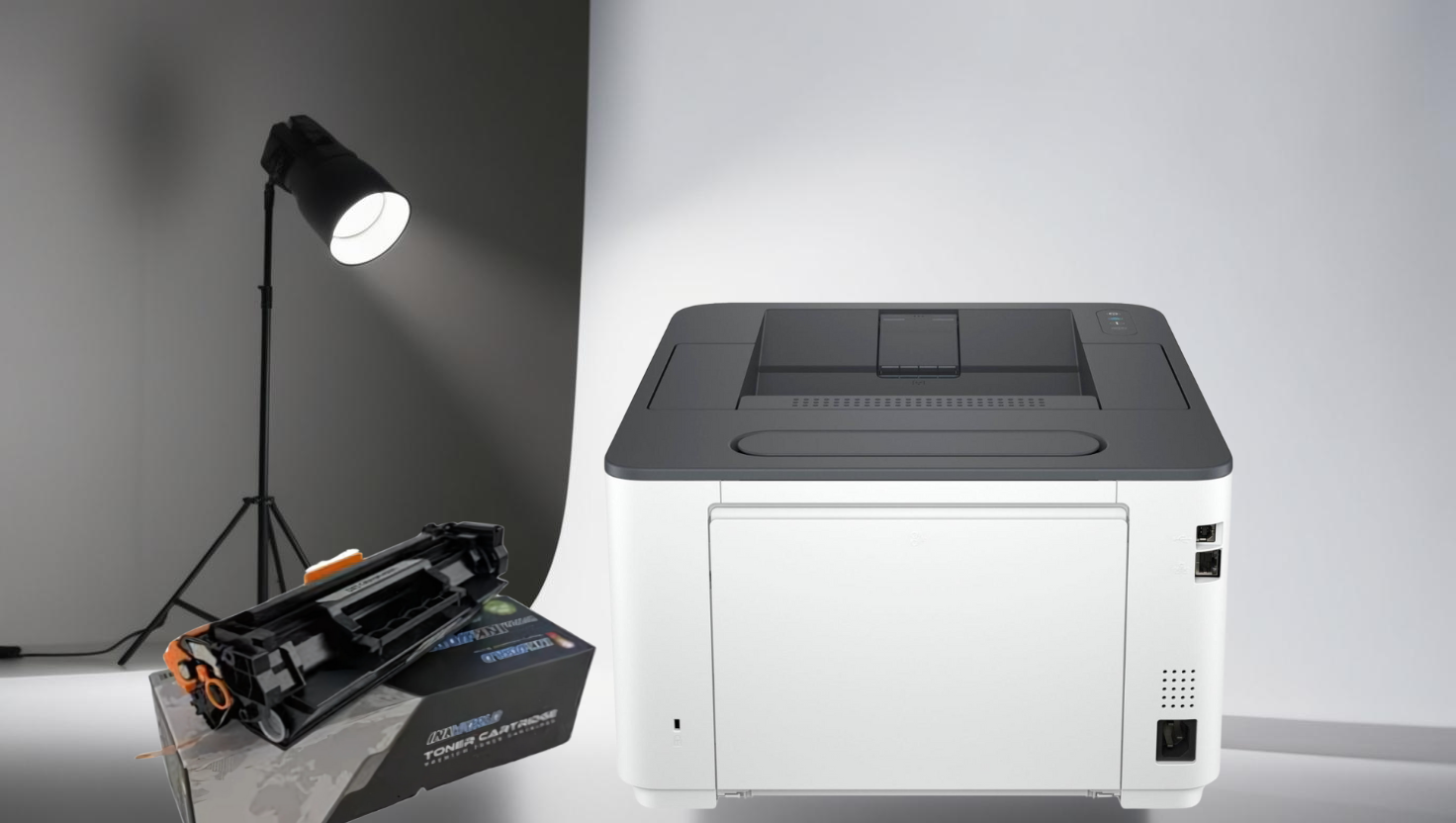
Compatible toner alternatives can slash the running costs of your HP LaserJet Pro 3003dw printer. These savings are crucial for both home and business users. Let’s explore the financial benefits of choosing compatible HP145A and HP145X cartridges.
Navigating the HP LaserJet Pro 3003dw and Toner Guide HP145A & HP145X
Annual Savings Calculation for Home Users
Home users typically print 200-300 pages monthly, totalling about 2,400 pages annually. Original HP145A cartridges would cost S$200 yearly. Compatible alternatives, priced at S$55 each, would cost just S$88 yearly.
This represents an annual savings of S$112 for home users, enough to cover a month of internet service in Singapore.
Annual Savings Calculation for Small Office Users
Small offices usually print 1,000-1,500 pages monthly, needing higher-capacity toners. For 15,000 annual pages, original HP145X cartridges would cost S$740 yearly, while compatible HP145X cartridges would cost only S$300 annually.
This significant saving of S$440 per year could be used for other business needs.
Long-term Financial Benefits with Real Examples
The savings become even more impressive over a printer’s 3-5 year lifespan. A Singapore accounting firm saved S$2,200 over three years with compatible cartridges, and a home-based graphic designer saved S$560 over two years.
These real-world examples show how compatible toner savings can fund other important investments.
| User Type | Annual Pages | Original HP Cost | Compatible Cost | Annual Savings |
|---|---|---|---|---|
| Home User | 2,400 | S$200 | S$88 | S$112 |
| Small Office | 15,000 | S$740 | S$300 | S$440 |
| Medium Business | 30,000 | S$1,480 | S$600 | S$880 |
Balancing Cost Savings with Performance Needs
Despite clear financial benefits, users should consider their specific printing needs. Businesses producing client-facing documents may prioritise consistent print quality. They could use original cartridges for external communications and compatible ones for internal documents.
Compatible cartridges offer great value for most home users and offices printing mainly text documents. The page yield matches original cartridges, with the HP145X compatible version still delivering about 3,800 standard pages.
Evaluate your needs against potential savings to make an informed decision. This approach will optimise both your budget and printing performance.
Save more on HP 145X! |
|---|
View Price Now |
InkWorld: Your Reliable Compatible Cartridge Supplier
InkWorld is Singapore’s top supplier of quality replacement cartridges at affordable prices. Over a decade, this homegrown company has built a solid reputation in the printer supplies market.
They offer reliable products and exceptional customer service. InkWorld caters to both businesses and home users seeking cost-effective printing solutions.
Company Overview and Reputation in Singapore
Since 2010, InkWorld has grown from a small shop to a trusted cartridge provider. They serve thousands of customers across Singapore, including home users, large corporations, and government agencies.
“InkWorld’s compatible cartridges have saved our accounting firm over $4,000 annually while maintaining the print quality our clients expect. Their reliability has been outstanding over our three-year partnership.”
Product Range and Availability
InkWorld stocks over 1,000 compatible cartridge models for 19 popular printer brands. Their selection includes compatible toner cartridges for nearly every HP printer, including HP145A and HP145X models.
Their Jurong warehouse keeps high stock levels of popular replacement cartridges. This ensures same-day delivery for most Singapore locations when ordered before 2 PM.
| Printer Brand | Compatible Models | Average Savings | Availability |
|---|---|---|---|
| HP | 320+ | 40-60% | Immediate |
| Canon | 280+ | 35-55% | Immediate |
| Brother | 210+ | 45-65% | Immediate |
| Epson | 190+ | 50-70% | 1-2 days |
Quality Assurance Processes
InkWorld rigorously tests every compatible cartridge before delivery. Their ISO 9001-certified quality control includes print testing, leak detection, and performance evaluation.
A dedicated testing facility ensures all printer supplies meet or exceed OEM specifications. This covers both print quality and page yield.
Customer Support and Warranty Policies
InkWorld offers a 12-month warranty on all compatible cartridges. Their Singapore-based support team is available via phone, email, and live chat six days a week.
They have a hassle-free return policy with free replacement shipping for defective products. This customer-first approach has earned InkWorld a 4.8/5 rating on Google Reviews.
Step-by-Step Installation Guide for HP145A and HP145X Toner Cartridges
This guide shows how to install HP145A and HP145X toner cartridges in your HP LaserJet Pro 3003dw printer. HP’s plug-and-print feature makes replacing cartridges easy. These cartridges use Page Maximiser Technology for up to 33% more pages.
Preparation Steps
Proper preparation ensures a smooth replacement process and optimal performance. It prevents potential issues and protects you and your printer.
Turn off and unplug the printer for safety. If recently used, let it cool for 30 minutes to avoid burns.
Gather these materials before starting:
| Item | Purpose | Notes |
|---|---|---|
| New HP145A or HP145X cartridge | Replacement toner | Keep sealed until ready to install |
| Clean, lint-free cloth | Cleaning the printer interior | Avoid paper towels that may leave residue |
| Disposal bag | For an old cartridge | Recycling is recommended |
| Gloves (optional) | Prevent toner transfer | Helps avoid staining hands |
Unpack the new cartridge, but don’t remove the protective seal yet. Gently rock it 5-6 times to distribute the toner evenly inside.
Detailed Installation Process
Follow these steps to install your new HP145A or HP145X toner cartridge correctly:
- Open the front access door by pressing the button on the left side.
- Pull the used cartridge straight out of the printer with a firm, even motion.
- Place the old cartridge in a disposal bag or recycling container.
- Remove the new cartridge from its bag and find the pull tab on the seal.
- Pull the tab firmly to remove the sealing tape in one smooth motion.
- Hold the cartridge by its sides and align it with the printer’s tracks.
- Insert the cartridge until it clicks into place. Don’t force it in.
- Close the front access door securely until it clicks shut.
The HP LaserJet Pro 3003dw has a user-friendly design that allows easy cartridge replacement. The cartridge bay is visible when you open the front panel.
Post-Installation Checks and Calibration
After installing the new cartridge, perform these checks to ensure optimal print quality. They help spot any issues before they affect your documents.
Reconnect the power cable and turn on the printer. It will detect the new cartridge automatically. Watch for error messages on the control panel display.
Print a test page to check print quality:
- On the control panel, go to the “Reports” or “Information” menu.
- Select “Configuration Page” or “Print Quality Page.”
- Check the test page for streaks, spots, or uneven toner distribution.
If you see print quality issues, run the printer’s calibration routine:
- From the control panel, go to “Device Maintenance” or “Settings.”
- Select “Calibrate” or “Print Quality Tools.”
- Choose “Calibrate Now” and follow the on-screen instructions.
Calibration optimises toner application and takes 1-2 minutes. Let it finish before printing important documents.
If problems persist, reseat the cartridge by removing and reinstalling it. Remember that HP’s Page Maximiser Technology ensures consistent quality throughout the cartridge’s life.
Troubleshooting Common Issues with the HP LaserJet Pro 3003dw
Is your HP LaserJet Pro 3003dw giving you trouble? Don’t fret. This guide will help you quickly resolve common problems.
You’ll learn to fix print quality, connectivity, and paper handling issues. We’ll also cover toner-related problems and their solutions.
Print Quality Problems and Solutions
Faded prints often mean low toner or “Economode” settings. Check your toner status and print settings on the control panel.
For streaks or smudges, clean the printer’s internal parts. Run the cleaning cycle from the maintenance menu.
Uneven text? Try rocking the toner cartridge gently to redistribute the toner. If issues persist, calibrate your printer through the settings menu.

Connectivity Issues and Fixes
Is your printer vanishing from the network? Try these fixes:
- Restart both your printer and router
- Verify the printer has the correct IP address
- Ensure your printer firmware is updated
- Reconnect the printer to your network using the setup wizard
Can’t detect the printer? Reinstall the latest drivers from HP’s website. Check if your device and printer share the same network for mobile printing woes.
Paper Handling Problems
Do you encounter paper jams during duplex printing? Check for blockages and use the right paper weight. Fan the paper before loading to prevent feeding issues.
Adjust the tray guides to fit your media size. Use the manual feed tray for special paper types.
ADF troubles? Clean the rollers regularly. Make sure documents are properly aligned before scanning.
Toner-Related Issues and Remedies
“Cartridge not recognised” error? Reinstall the cartridge, ensuring you’ve removed all protective tape. Clean the gold contacts if needed.
Premature “low toner” warnings? Keep printing until quality drops. Handle cartridges with care and store them properly to prevent leaks.
Uneven toner? Gently rock the cartridge horizontally before reinstalling. This helps distribute the toner evenly for better prints.
Conclusion
The HP LaserJet Pro 3003dw is a versatile printing solution for homes and small offices in Singapore. It delivers professional-quality output with crisp text and graphics, effectively meeting various printing needs.
Your printing volume determines the choice between HP145A standard and HP145X high-capacity toner cartridges. The HP145X cartridge offers about 3,800 standard pages, ideal for higher print demands.
Compatible toner cartridges offer substantial savings without greatly compromising quality. These alternatives can reduce printing costs by up to 40% compared to original HP cartridges. They maintain acceptable output quality for most business documents.
HP printers are known for their reliability and consistent performance. With proper care, your HP LaserJet Pro 3003dw can provide years of dependable service. Regular cleaning and quality paper use will extend the printer’s life.
The HP LaserJet Pro 3003dw offers an efficient printing system for various budgets and quality needs. Consider your print volume, quality expectations, and budget constraints when making decisions. This approach will optimise your printing experience while effectively managing costs.
FAQ
What is the difference between HP145A and HP145X toner cartridges?
HP145A is a standard capacity toner cartridge. HP145X is a high-capacity option that prints about 3,800 pages. The HP145X is more cost-effective for high-volume users, offering a lower cost per page.
Is the HP LaserJet Pro 3003dw suitable for home use?
The HP LaserJet Pro 3003dw is ideal for home use, especially for home-based professionals. Its compact design fits well in home offices. The printer features an easy-to-use touchscreen and versatile functionality.
What are the connectivity options for the HP LaserJet Pro 3003dw?
The HP LaserJet Pro 3003dw offers USB, Ethernet, and Wi-Fi connectivity. It supports mobile printing through the HP Smart App and Apple AirPrint. Users can print from computers, smartphones, and tablets in various settings.
What is the duty cycle of the HP LaserJet Pro 3003dw?
The HP LaserJet Pro 3003dw has a monthly duty cycle for reliable printing. It’s designed for small offices and home users with moderate to high print volumes. Check current specs for the exact figure.
Can I use compatible toner cartridges with the HP LaserJet Pro 3003dw?
Compatible toner cartridges work with the HP LaserJet Pro 3003dw. Be aware of the printer’s dynamic security features. These may affect non-HP cartridges. Buy from trusted suppliers like InkWorld for quality assurance.
How do I install a new toner cartridge in the HP LaserJet Pro 3003dw?
To install a new cartridge, turn off the printer, open the front panel, remove the old cartridge, unpack the new one, remove the seals, and insert the new cartridge properly.
Close all panels. Turn on the printer and let it start up. Print a test page to check quality.
What should I do if I experience print quality issues with my HP LaserJet Pro 3003dw?
For print quality issues: Check toner levels and replace if needed. Run cleaning routines. Use appropriate paper. Clean toner debris inside the printer. Check print settings.
Ensure compatible cartridges are installed correctly. For ongoing problems, consult the troubleshooting guide or contact HP support.
How much can I save using compatible toner cartridges instead of original HP ones?
Using compatible toner cartridges can lead to significant savings. Home users printing 200-300 pages monthly can save a lot yearly, and small offices with higher volumes might save hundreds annually.
Compatible cartridges typically cost 30-50% less than HP originals while offering similar yields.
Will using compatible toner cartridges void my printer warranty?
Under consumer protection laws, using compatible toner cartridges shouldn’t void your printer warranty. HP can’t void the entire warranty for using non-HP supplies. However, damage from a compatible cartridge might not be covered.
Use high-quality compatibles from reputable suppliers that offer a warranty.
Does the HP LaserJet Pro 3003dw support duplex printing?
Yes, the HP LaserJet Pro 3003dw supports automatic duplex printing. This feature prints on both sides without manual intervention, saving paper, reducing costs, and creating professional-looking documents.
What is the print speed of the HP LaserJet Pro 3003dw?
The HP LaserJet Pro 3003dw offers fast print speeds for its class and produces sharp black-and-white documents quickly. Check the current product docs for exact specs. The printer has a swift first-page-out time.
How does the HP LaserJet Pro 3003dw compare to Brother laser printers?
The HP LaserJet Pro 3003dw and Brother printers offer similar print speeds and quality. They differ in price, operational costs, and features. HP excels in print quality and user-friendly interfaces.
Brother might offer lower initial costs. Choose print quality, connectivity, or upfront costs based on your priorities.
What is the maximum input capacity of the HP LaserJet Pro 3003dw?
The HP LaserJet Pro 3003dw has a standard paper tray for small offices. Check current specs for exact capacity. It supports various media types and sizes, including A4, A5, envelopes, and custom sizes.
How energy efficient is the HP LaserJet Pro 3003dw?
The HP LaserJet Pro 3003dw uses 21% less energy than previous models. It has auto on/off technology for power saving. The printer meets eco-label standards and helps reduce electricity bills.
Does InkWorld offer compatible cartridges for the HP LaserJet Pro 3003dw?
InkWorld offers compatible HP145A and HP145X cartridges for the HP LaserJet Pro 3003dw. These cost-effective alternatives undergo quality testing and come with warranty protection and customer service support.



