

 by Printer Brands
 Label Tape
 Ink
Ink Toner
Toner Label Roll




 Ribbon















 Label Printers
 Office Supplies
 Other
Other
How to Detect Low-Quality Ink: For photography enthusiasts and professionals in Singapore, achieving perfect prints requires more than just a high-quality camera and premium photo printer. The ink you use plays a crucial role in both print quality and printer longevity. With Singapore’s humid climate and the prevalence of counterfeit products in the market, identifying low-quality ink becomes even more important. This guide will help you recognize substandard ink cartridges that can damage your valuable photo printers and compromise your high-resolution printing results.
Why Quality Ink Matters for Photo Printers 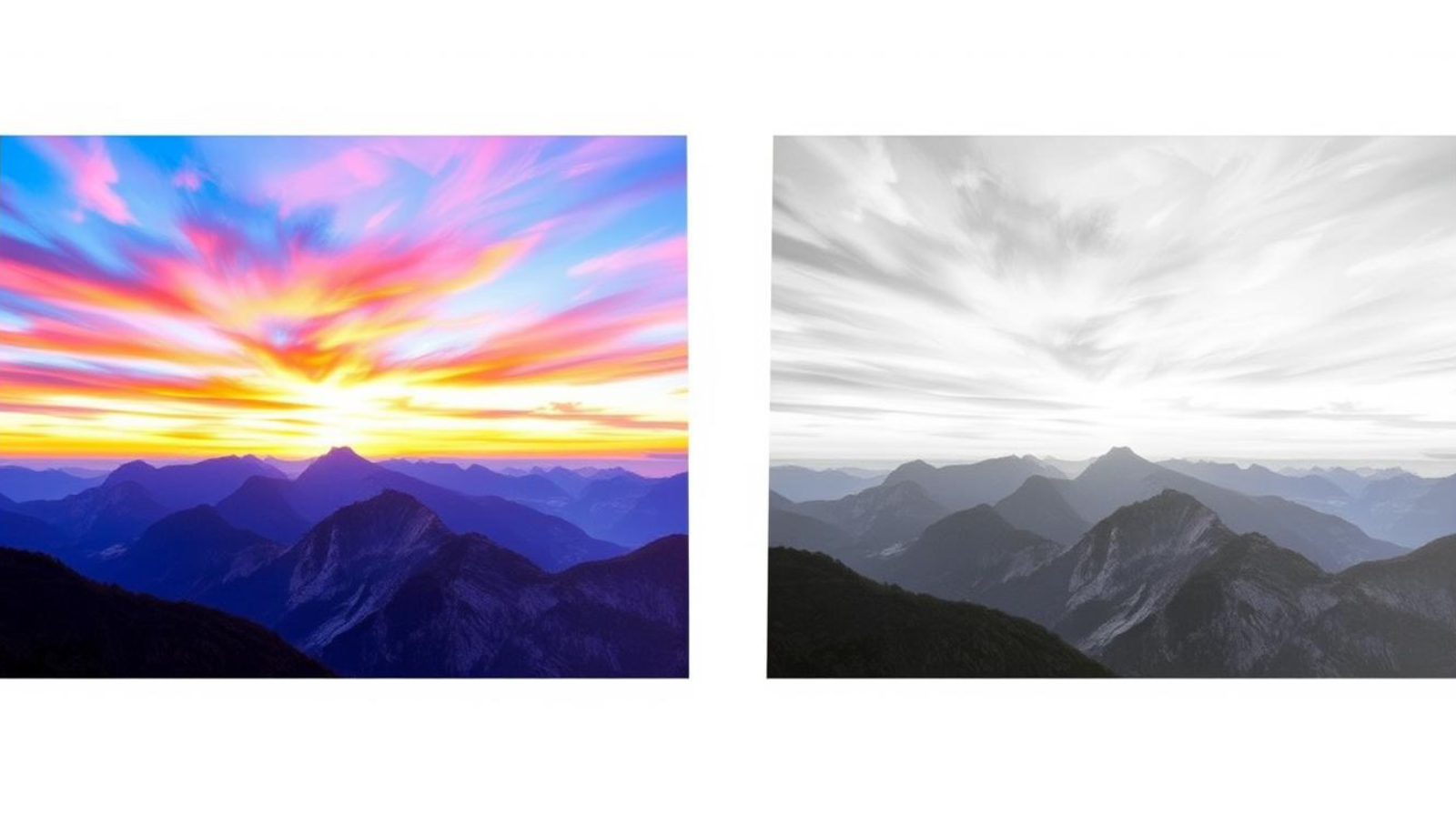
The difference between quality ink (left) and low-quality ink (right) is immediately visible in photo prints
When it comes to photography printing, the quality of your ink directly impacts the vibrancy, longevity, and detail of your prints. Premium photo printers are precision instruments designed to work with specific ink formulations. Using low-quality alternatives can not only produce disappointing results but also cause permanent damage to your printer’s internal components.
In Singapore’s tropical climate, where humidity levels regularly exceed 80%, ink quality becomes even more critical. Substandard inks may absorb moisture from the air, leading to clogging issues and inconsistent print quality. Professional photographers and serious hobbyists understand that investing in quality ink is essential for achieving gallery-worthy prints that accurately represent their creative vision.
The Hidden Costs of Cheap Ink
While the initial savings of bargain ink cartridges might seem attractive, the long-term costs can be substantial. Low-quality ink often yields fewer prints per cartridge, requiring more frequent replacements. More concerning is the potential damage to your photo printer’s print head and ink delivery system, which can lead to expensive repairs or even premature replacement of the entire printer.
For high-resolution printing, quality ink provides consistent colour accuracy, smooth gradients, and fine detail reproduction. Substandard ink can introduce banding, colour shifts, and poor shadow detail that compromise your photographic work. In Singapore’s competitive photography market, these quality differences can significantly impact your professional reputation.

Visual Signs of Low-Quality Ink
Before you even install a cartridge, there are several visual cues that can help you identify potentially problematic ink products. Learning to recognize these indicators can save you from printer damage and disappointing print results.

Genuine ink cartridges (left) versus counterfeit versions (right) – note the differences in packaging quality and security features
Packaging Inspection
- Examine the packaging for poor print quality, misaligned graphics, or spelling errors
- Check for missing holographic security labels that are present on genuine products
- Verify that barcodes and product codes match the manufacturer’s format
- Look for inconsistent plastic molding or rough edges on the cartridge itself
- Compare the weight of the cartridge with known genuine products (counterfeits are often lighter)
Ink Appearance and Consistency
Quality ink for photo printers has specific visual characteristics that indicate its formulation is appropriate for high-resolution printing. When examining ink (if visible), look for these properties:
- Consistent colour without separation or settling
- Appropriate viscosity (not too watery or too thick)
- No visible particles or sediment
- Proper colour intensity that matches manufacturer standards
- No unusual odor (quality ink has minimal smell)

Performance Tests to Identify Low-Quality Ink
Once installed, you can perform several tests to evaluate ink quality before committing to using the cartridges for your important photography printing projects.

Test patterns reveal quality differences: premium ink (left) versus low-quality ink (right)
Nozzle Check Pattern Analysis
Most photo printers include a utility to print a nozzle check pattern. This simple test can reveal much about ink quality:
- Print the standard nozzle check pattern from your printer’s utility software
- Examine for missing lines, which may indicate clogging from poor ink formulation
- Look for colour bleeding between test pattern sections
- Check for consistent line thickness throughout the pattern
- Repeat the test after 24 hours to check for degradation
colour Accuracy Test

For photography printing, colour accuracy is paramount. This test helps evaluate how well your ink reproduces standard colours:
- Print a standard colour reference chart (available online)
- Compare the printed colours to reference values or a known good print
- Check for colour shifts, particularly in skin tones and neutral grays
- Examine shadow detail and highlight reproduction
- Assess the colour gamut by looking at vibrant primaries and secondaries
Drying Time and Smudge Resistance
Quality ink for photo printers should dry relatively quickly and resist smudging once dry:
- Print a test image with large colour blocks
- Time how long it takes for the ink to become touch-dry
- After complete drying (24 hours), lightly rub the printed areas
- Check for smudging, flaking, or transfer of ink
- Test water resistance by lightly dampening a corner of the print
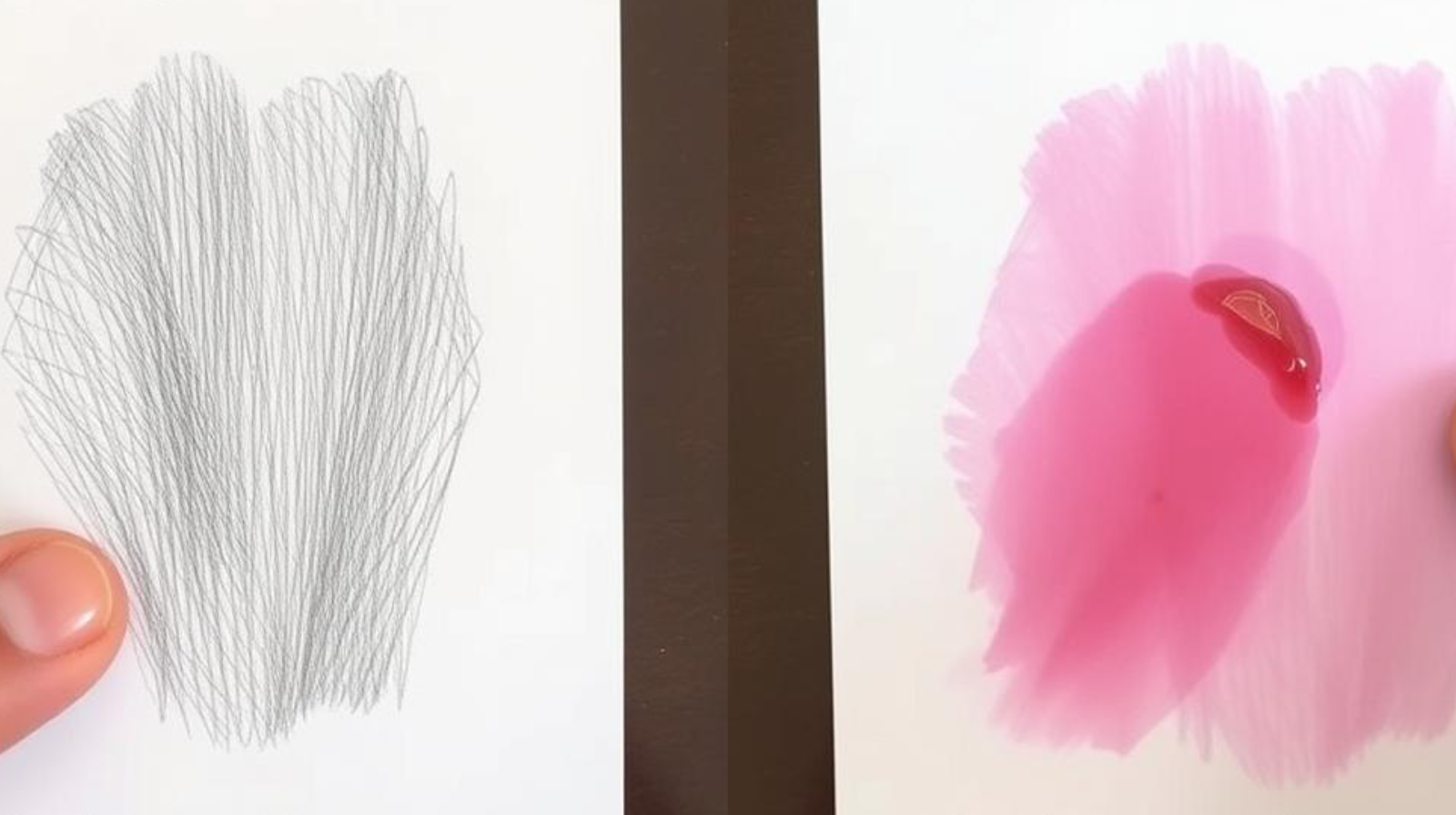
Smudge test results: quality ink (left) remains intact while low-quality ink (right) smears easily
Chemical Indicators of Substandard Ink
Beyond visual inspection, there are several chemical properties that can indicate whether ink is suitable for high-quality photography printing.
pH Level Testing
The acidity or alkalinity of ink affects both print longevity and printer health. Quality photo printer ink typically has a carefully controlled pH level:
- Quality photo ink generally has a pH between 7.0 and 8.5
- Highly acidic ink (low pH) can corrode printer components
- Very alkaline ink can cause chemical reactions with photo paper
- pH test strips can provide a basic assessment of ink pH
- Consistent pH across all colours indicates quality control
Particle Size and Consistency
Premium ink for high-resolution printing contains uniformly sized pigment or dye particles that ensure consistent flow and colour reproduction:
- Quality ink has extremely fine, uniform particles (often nano-sized)
- Low-quality ink may contain visible particles or inconsistent sizing
- Uneven particle distribution can lead to nozzle clogging
- Larger particles may settle at the bottom of the cartridge
- Inconsistent particle size affects colour accuracy and detail reproduction

Microscopic comparison: uniform particles in quality ink (left) versus irregular particles in low-quality ink (right)
Singapore-Specific Considerations for Photo Printer Ink
Singapore’s unique climate and market conditions create specific challenges for maintaining ink quality and identifying counterfeit products.
Humidity and Storage Concerns

Singapore’s high humidity levels (averaging 80-90%) create unique challenges for ink storage and performance:
- Store ink cartridges in their original sealed packaging until needed
- Keep unused cartridges in a cool, dry place (ideally below 25°C)
- Consider using dehumidifiers in your printing area
- Use silica gel packets near stored ink to absorb excess moisture
- Check for condensation inside packaging, which may indicate exposure to humidity fluctuations
Local Market Awareness
The Singapore market has specific characteristics that affect ink quality and availability:
- Be cautious of unusually discounted ink at Sim Lim Square or online marketplaces
- Verify authorized retailers through manufacturer websites
- Check for Singapore-specific warranty information and import stamps
- Be aware that parallel imports may not meet the same quality standards
- Consider local climate adaptation in ink formulations from reputable brands

Always verify authorized retailers when purchasing ink for your photo printers in Singapore
Signs Your Photo Printer Has Been Damaged by Low-Quality Ink
Unfortunately, by the time you notice these symptoms, damage may already have occurred. Being aware of these warning signs can help you address issues before they become irreparable.

Severe print head damage caused by prolonged use of low-quality ink
Early Warning Indicators
- Frequent print head cleaning cycles initiated automatically by the printer
- Unusual noise during printing operations
- Inconsistent ink delivery or streaking in prints
- Error messages related to ink delivery or print head function
- Ink leakage inside the printer chassis
Advanced Damage Symptoms
If you notice these signs, your printer may have sustained significant damage from low-quality ink:
- Persistent banding or streaking that cleaning cycles don’t resolve
- Missing colours or complete failure of certain ink channels
- Print head carriage sticking or moving erratically
- Electrical errors related to print head communication
- Ink system failure warnings that persist after cartridge replacement

Finding Trusted Ink Sources in Singapore
To protect your investment in high-quality photo printers, it’s essential to source ink from reputable suppliers in Singapore.
Authorized Retailers and Service Centers
- Official brand stores at Funan Mall and Plaza Singapura
- Authorized service centers that provide genuine consumables
- Major electronics retailers like Challenger and Best Denki
- Professional photography supply stores in Peninsula Plaza
- Manufacturer-operated online stores with direct shipping

Authorized retailers display certification and offer genuine products with proper warranties
Verification Methods
Before purchasing, use these methods to verify you’re getting genuine ink for your photo printers:
- Check manufacturer websites for lists of authorized Singapore retailers
- Verify security features like holograms and QR authentication codes
- Register products online to confirm authenticity
- Use manufacturer apps that can scan and verify genuine products
- Check manufacturing dates and batch codes against known patterns
Cost-Benefit Analysis: Premium vs. Low-Quality Ink
Understanding the true cost difference between premium and low-quality ink helps make informed decisions for your photography printing needs.
| Factor | Premium Ink | Low-Quality Ink |
| Initial Cost | Higher ($30-60 per cartridge) | Lower ($10-25 per cartridge) |
| Page Yield | Higher (200-300 4×6″ photos) | Lower (50-150 4×6″ photos) |
| Print Quality | Excellent colour accuracy and detail | Variable, often with colour shifts |
| Print Longevity | 25+ years with proper storage | Often less than 5 years |
| Printer Maintenance | Minimal cleaning required | Frequent cleaning cycles needed |
| Printer Lifespan Impact | Minimal wear on components | Potential for significant damage |
| Cost Per Quality Print | $0.15-0.30 | $0.20-0.50 (accounting for waste) |

Total cost of ownership comparison over 3 years shows premium ink is more economical
Maintenance Tips to Protect Your Photo Printer
Even with quality ink, proper maintenance is essential for optimal performance and longevity of your photo printer in Singapore’s climate.
Regular Maintenance Schedule
- Run nozzle checks weekly if printing regularly, monthly if used occasionally
- Perform print head cleaning only when necessary (excessive cleaning wastes ink)
- Keep the printer powered on to allow automatic maintenance cycles
- Print at least one colour page weekly to prevent nozzle drying
- Clean the exterior and paper path monthly to prevent dust accumulation

Regular maintenance helps extend the life of your photo printer and maintain print quality
Climate Control for Optimal Performance

In Singapore’s tropical climate, controlling your printer’s environment is crucial:
- Maintain room temperature between 22-26°C for optimal ink performance
- Use dehumidifiers to keep relative humidity below 65%
- Avoid placing printers near windows with direct sunlight
- Ensure adequate ventilation around the printer
- Consider using a humidity monitor in your printing area
Expert Insights: What Professional Photographers in Singapore Say
“After years of professional photography in Singapore, I’ve learned that ink quality is non-negotiable. The humidity here is particularly challenging for printers. I exclusively use manufacturer-branded ink and store my supplies in climate-controlled cabinets. The difference in print longevity and colour accuracy is remarkable compared to when I experimented with third-party options.”

Professional photographers in Singapore invest in quality equipment and supplies for consistent results
“The cost difference between premium and budget ink seems significant upfront, but it’s actually minimal when you consider print quality and equipment longevity. I learned this lesson the hard way after damaging a $2,000 printer with cheap ink. Now I view quality ink as an essential part of my professional workflow, not an optional expense.”
Frequently Asked Questions
Can I refill my own ink cartridges for photo printers?
While it’s technically possible to refill cartridges yourself, it’s generally not recommended for photo printers used for high-resolution printing. The process can introduce air bubbles, contamination, and inconsistent ink levels that affect print quality. Additionally, many modern photo printers use cartridges with integrated print heads or chips that track usage, making refilling complex and potentially damaging. If cost is a concern, consider printers with tank systems designed for refilling, like Canon’s MegaTank or Epson’s EcoTank series.
How does Singapore’s climate affect ink performance?
Singapore’s high humidity (typically 80-90%) and consistent warmth create challenging conditions for ink storage and performance. Humidity can cause ink to absorb moisture, potentially altering viscosity and drying characteristics. This can lead to clogging, colour shifts, and reduced shelf life. Quality inks are formulated with humidity resistance in mind, while lower-quality alternatives may lack these protections. Store ink in climate-controlled environments and consider using dehumidifiers in your printing area to mitigate these effects.
Are third-party inks always low quality?
Not all third-party inks are low quality, but there’s significantly more variability compared to OEM (Original Equipment Manufacturer) products. Some reputable third-party manufacturers invest in research and quality control to create compatible products that perform well. However, many budget options cut corners on pigment quality, particle consistency, and chemical stability. If using third-party ink, research the manufacturer thoroughly, check for certification standards, and test thoroughly before using for important photography printing projects.
How long should ink cartridges last before expiring?
Most manufacturer-branded ink cartridges have a shelf life of 1-2 years from production when stored properly. Once installed, they should remain usable for 6-12 months, depending on usage patterns. In Singapore’s climate, proper storage becomes even more important for maximizing shelf life. Look for expiration dates printed on cartridge packaging and avoid bulk purchases unless you print frequently. Some premium inks include stabilizers that extend shelf life, while lower-quality alternatives may deteriorate more quickly.
What should I do if I suspect my printer has been damaged by low-quality ink?
If you suspect damage from low-quality ink, first replace all cartridges with genuine products. Run several deep cleaning cycles (though not excessively, as this can waste ink). If problems persist, consider using printer cleaning kits specifically designed for your model. For significant issues, consult with authorized service centers in Singapore, such as those at Funan Mall or Plaza Singapura. Be aware that damage from third-party ink may void your warranty, so be honest about previous ink usage when seeking professional assistance.
Conclusion: Protecting Your Investment in Photo Printers
The quality of ink you choose directly impacts both your photographic results and the longevity of your valuable photo printers. In Singapore’s unique climate, with its high humidity and temperature, using quality ink becomes even more critical for consistent high-resolution printing and equipment protection.
By learning to identify the visual, performance, and chemical indicators of low-quality ink, you can make informed decisions that protect your investment and ensure your photography printing maintains the highest standards. Remember that the apparent savings from budget ink options often disappear when considering reduced print quality, lower yield, and potential printer damage.
For professional results and equipment longevity, source your ink from authorized retailers, maintain proper storage conditions, and follow a regular maintenance schedule. Your photo printer is a precision instrument designed to translate your creative vision into tangible images—give it the quality consumables it deserves.
Ready to Protect Your Photo Printer?
Visit InkWorld.sg for Supplies for a wide selection of high-quality ink cartridges specifically formulated for Singapore’s climate. Expert staff can help you find the perfect match for your photo printer model.
Find Quality Ink in Singapore



